

ADVERTISEMENT
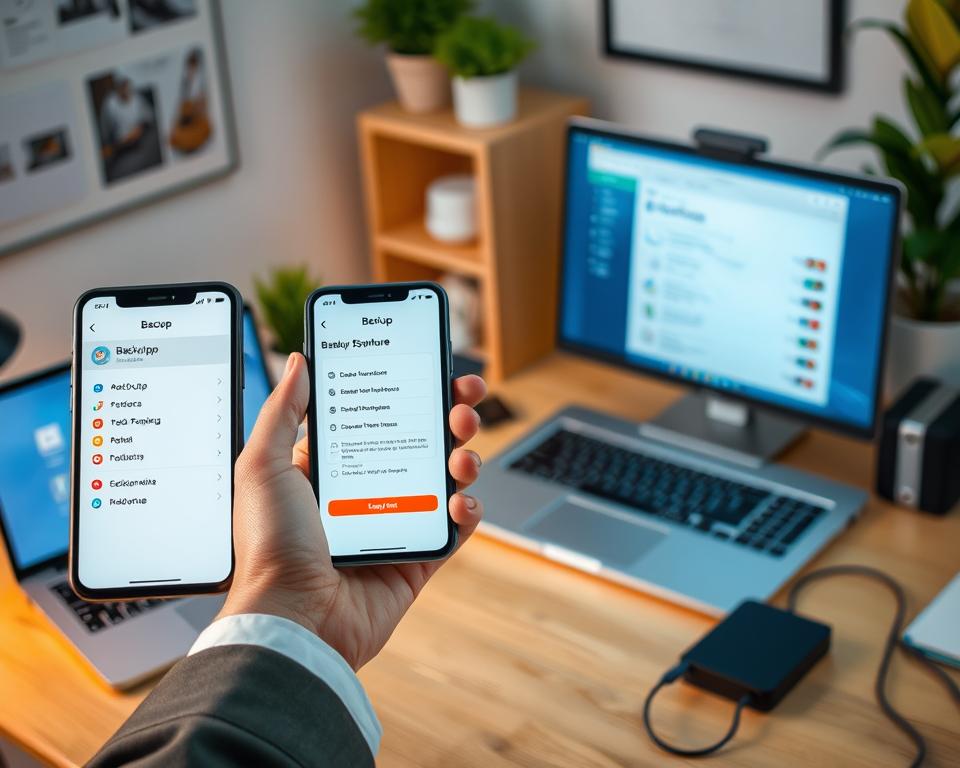
Did you know 60% of smartphone users haven’t backed up their data? This shows the risk of losing valuable files, photos, and personal details. Many face panic when they encounter unexpected problems. Whether due to a malfunction, theft, or accidental deletions, backing up your phone is key. It safeguards your digital belongings. Our guide on phone backup will show you easy and effective ways to protect your smartphone data. By following these steps, you can keep your digital life safe and enjoy peace of mind.
Key Takeaways
- Backing up your phone is crucial for data security.
- Many users underestimate the importance of regular backups.
- There are multiple methods available for backing up your data.
- Utilize cloud services for easy access and recovery.
- Stay prepared to avoid losing priceless memories and important files.
Understanding the Importance of Backing Up Your Phone
Phone data backup is crucial to protect your key information. Phones hold dear memories, contacts, and important documents. Losing these can cause great emotional stress. Often, people don’t think they’ll lose data. But knowing how to back up your phone data can save the day in emergencies.
What Happens if You Don’t Backup?
Not backing up means you might lose all your special moments. A loss like this can feel devastating. Especially if it’s due to theft or accidents. You could lose family photos, vital contacts, and important texts in a blink.
Common Reasons for Data Loss
Knowing why data loss happens helps prevent it. Here are some common reasons:
- Device Damage: Dropping your phone can cause data loss.
- Software Failures: Software problems can corrupt your data.
- Accidental Deletions: Sometimes, we delete things by accident.
These issues show why having a safe phone backup is important. It keeps your data safe and recoverable.
Peace of Mind When You Backup
Backing up your phone regularly brings peace of mind. You won’t worry about losing key data. Even in bad situations, you can get your important stuff back. Backing up is more than being cautious; it’s keeping your digital life secure.
Different Types of Backup Methods
Keeping your phone backed up is important to save your data. There are mainly two ways to back up your mobile device: cloud backup and local backup. Knowing about these helps you pick the right backup solution for your needs.
Cloud Backup vs. Local Backup
Cloud backup services, like those from Google and Apple, save your data online. This lets you access your stuff from any internet-connected device, which is handy for many. But, local backups save files on a computer or external hard drive. This gives you full control but requires physical access for recovery. Think about what you need before choosing.
Automatic vs. Manual Backups
For backing up your mobile, you can pick automatic or manual backups. Automatic backups save your data regularly without you doing anything. It keeps your latest information safe, giving you less to worry about. Manual backups need you to do it each time, offering control over what’s saved. Remember these tips to keep your data secure.
How to Backup Your iPhone
It’s crucial to backup your iPhone to keep your data safe. You can use iCloud, iTunes, or third-party apps for this. This guide will help you through each method to secure your files.
Using iCloud for Backup
Using iCloud makes backing up easy. Just enable iCloud Backup. Then, your phone automatically backs up with Wi-Fi and when charging. Set it up by going to Settings > Your Name > iCloud > iCloud Backup. Turn the backup option on, and your iPhone does the rest.
Backing Up with iTunes
iTunes is great for local backups. Connect your iPhone to a computer to start. Open iTunes, pick your device, and hit Back Up Now. This method lets you save files on your computer, a top choice for some.
Third-Party Backup Solutions
Apps like Google Drive and Dropbox offer more backup ways. They’re perfect for keeping photos, documents, and more safe. With these, you know your data is secure, even if your phone is lost or damaged.
How to Backup Your Android Device
Keeping your Android device backed up is key to protecting your information. There are many ways to back up your data, fitting various needs. Whether you use Google’s options or tools from your phone’s maker, the right method is crucial.
Google Drive Backup
Using Google Drive is an easy backup method. Go to Settings > Google > Backup to start. This will back up your apps, contacts, and settings automatically over Wi-Fi. It’s simple and popular among Android users thanks to its friendly interface.
Manufacturer-Specific Backup Tools
Different Android phone makers offer their own backup tools. For example, Samsung has Smart Switch for easy data transfer. Other brands have similar tools. It’s worth checking out these options for a reliable way to keep your data safe.
Using Third-Party Apps for Backup
If you want more backup options, look at third-party apps. Dropbox and OneDrive are good for storing your files and media in the cloud. They offer special features that might fit your needs better, making backups more effective.
Backing Up Photos and Videos
Protecting your precious photos and videos means following smart data backup strategies. It’s important to keep these files safe from loss to hold onto the moments that matter most. Finding the right way to back up phone media gives you confidence that your memories are protected.
Utilizing Google Photos for Backup
Google Photos is a simple and efficient way to save your pictures and videos automatically. With cloud backup enabled, your media files are stored safely away from your device. This method ensures easy access on various devices while clearing space on your phone.
How to Use OneDrive or Dropbox
Looking for more storage options? Try Microsoft OneDrive or Dropbox. These services offer secure syncing and storage for your media. They have easy-to-use interfaces, making it simple to upload your photos and videos. This keeps your backup organized and secure.
Keeping Your Memories Safe
Backing up your photos and videos regularly is key to preserving your memories. Doing this protects them from accidental loss, hardware issues, or surprises. By safeguarding your data, you can enjoy looking back at these cherished moments anytime.
Backing Up Contacts and Calendar
Keeping your contacts and calendar data safe is key to staying in touch and organized. To avoid the trouble of losing key connections and dates, it’s smart to back up your phone data. We will look at several ways to protect this important info in our guide.
Syncing with Your Google Account
One great way to keep your data safe is by syncing it with your Google account. This keeps your info updated on all devices, so you’re always current, no matter which device you use. Just turn on sync in your settings for an easy backup.
Exporting Contacts to a File
Another option to back up contacts is exporting them to a .vcf file. This file is easy to move around and can be loaded back onto your device as needed. It’s great for making a hard copy of your contacts or sharing them.
Using Third-Party Apps
Third-party apps offer more ways to back up contacts and calendar events. For example, My Contacts Backup makes it simple to back up without a computer. Apps like these add extra safety, making sure you always remember important people and dates.
Backup Solutions for Music and Media
If you love music, you need a good backup plan to protect your collection. Learning to backup your phone is key. This keeps your purchased music safe. You won’t lose your favorite songs. Here are some ways to backup your mobile device and music libraries.
How to Backup Purchased Music
Backing up music you bought from iTunes or Google Play Music is reassuring. Just connect your device to a computer and move your songs. This way, you prevent accidental losses. It’s a solid backup method for your phone. It keeps your music safe even if your device breaks.
Using Streaming Services to Avoid Loss
Streaming services like Spotify or Apple Music make listening better and lower the risk of losing your music. These platforms let you keep songs offline. So, you can enjoy your music without worrying about losing access if your phone has issues.
External Hard Drives for Music Collections
Got a big music collection? External hard drives are a great backup option. They offer lots of storage space. So, backing up your whole library is easy. You protect your media from device problems. Just connect it to your computer often to copy your music and keep it safe.
| Backup Method | Description | Benefits |
|---|---|---|
| iTunes/Google Play Backup | Transfer purchased music from your device to a computer. | Direct access to purchased files; easy recovery. |
| Streaming Services | Access music through subscription services with offline caching. | Minimal risk of data loss; subscription-based access. |
| External Hard Drive | Store a complete music collection on a physical device. | Reliable storage; protects against device failures. |
Tips for a Complete Backup
Backing up your mobile device should be easy. To make it smooth, try these handy phone backup tips. They can make backing up a breeze. Consistently scheduling backups, checking their success, and organizing your files are key steps. They ensure your important data stays safe.
Regular Backup Schedule
Setting a regular backup schedule is smart. Remind yourself to backup your device every week or month. This way, you protect new files easily. Regular backups mean you won’t lose important updates.
Verifying Your Backup Integrity
After backing up, make sure it worked. Check the latest backup date in your settings or try restoring a file. This step helps avoid problems if you need to recover data later.
Organizing Files Before Backing Up
Sort your files before starting a backup. Put photos, documents, and music into marked folders. This makes your backup smoother. It also makes finding things easier when you restore your data.
Restoring from a Backup
Today, knowing how to restore data from a backup is crucial, especially for smartphones. Whether you own an iPhone or an Android, understanding how to get your data back is key. It’s not just about backing up your phone, but also restoring it easily.
How to Restore on iPhone
To get your iPhone’s data back, use your iCloud account or iTunes. First, log into iCloud during the iPhone’s setup. Then, choose “Restore from iCloud Backup” when asked. For iTunes, connect your iPhone to a computer, select it, and click “Restore Backup”. These steps make sure your data transfers safely.
Steps to Restore on Android
Android users, listen up. Your restore happens when you first set up your device. Just log into your Google account and pick “Restore” to get back your smartphone data. Make sure you’ve turned on Google Drive backup for a smooth restore.
What to Do if Restoration Fails
Did your restoration not work? Here’s what to do. First, check your internet connection because a bad signal can mess things up. Then, make sure your device’s software is current. Also, recheck your login info to ensure it’s correct. These steps can help fix the problem.
Troubleshooting Common Backup Issues
Backing up phone data can have challenges. You might run into errors while backing up. These problems can make you feel upset. But, knowing how to fix these issues helps in keeping your data safe.
Errors You Might Encounter
You might face several errors when you try to back up your phone. Some common problems are:
- Insufficient storage: Not enough space for backup data.
- Connectivity issues: Trouble with Wi-Fi or mobile data.
- Software glitches: Bugs in the backup app or system.
Tips for Fixing Backup Failures
Fixing backup issues is often simple. Here are some tips:
- Check your device and cloud for available storage.
- Make sure your internet connection is stable and strong.
- Update your device’s system to the newest version.
When to Seek Professional Help
Still having trouble with backups? It might be time for professional help. Checking the manufacturer’s advice can give you more ideas. Getting expert help makes sure you’re backing up your phone right. This keeps your important data safe.
Conclusion: Stay Safe and Back Up Regularly
Backing up your phone is more important now than ever before. We have looked at different ways to do this, like using the cloud or other local options. This keeps your information safe. It’s very important to know how to back up your phone. This could be through iCloud, Google Drive, or other apps. This is vital for anyone who wants to keep their digital memories and important files safe.
When you back up your phone, you’re really looking out for yourself. The best backup methods protect you from losing data by mistake. They also keep your info safe if your device stops working. By backing up your data regularly, you make sure your information is safe.
The world of technology changes fast, so it’s key to keep up with how to back up your mobile device. A bit of effort now can save you from trouble later. Secure your data now to prevent the sadness of losing it unexpectedly. Use these trusted backup ways to keep your data safe.




