

Did you know about 70% of homeowners deal with slow WiFi? This can make internet use frustrating. With more people working and learning from home, fast WiFi is essential. Luckily, there are easy steps you can take to make your WiFi faster. This article will show you how to improve your WiFi connection with simple tips. Get ready to make your internet faster and more reliable!
Key Takeaways
- Understanding internet speed basics such as Mbps.
- Proper router placement can significantly affect WiFi performance.
- Upgrading equipment like routers and extenders can boost WiFi speed.
- Regularly updating your router settings ensures optimal performance.
- Limiting interference from other devices can enhance your connection.
- Using Ethernet connections for key devices is a reliable method for speed.
Understand Your Internet Speed Basics
Understanding how fast your internet is can really boost your online activities. When we talk about Mbps, or Megabits per second, we’re measuring internet speed. This tells us how much data gets moved every second. With more Mbps, your internet works faster. This speed matters a lot for watching videos or playing games online.
It’s smart to regularly check your internet speed. You can use online tools for this. Keeping an eye on your speed helps spot and fix slowdowns. This ensures you have the best experience online.
What is Mbps and Why It Matters
Mbps stands for Megabits per second and it’s key to understanding your internet speed. It shows how much data your connection can handle each second. This impacts how fast you download or stream stuff. If your internet is slow, you might see videos buffer or websites take long to load. Knowing your Mbps helps decide if you need better internet.
How to Test Your Current Speed
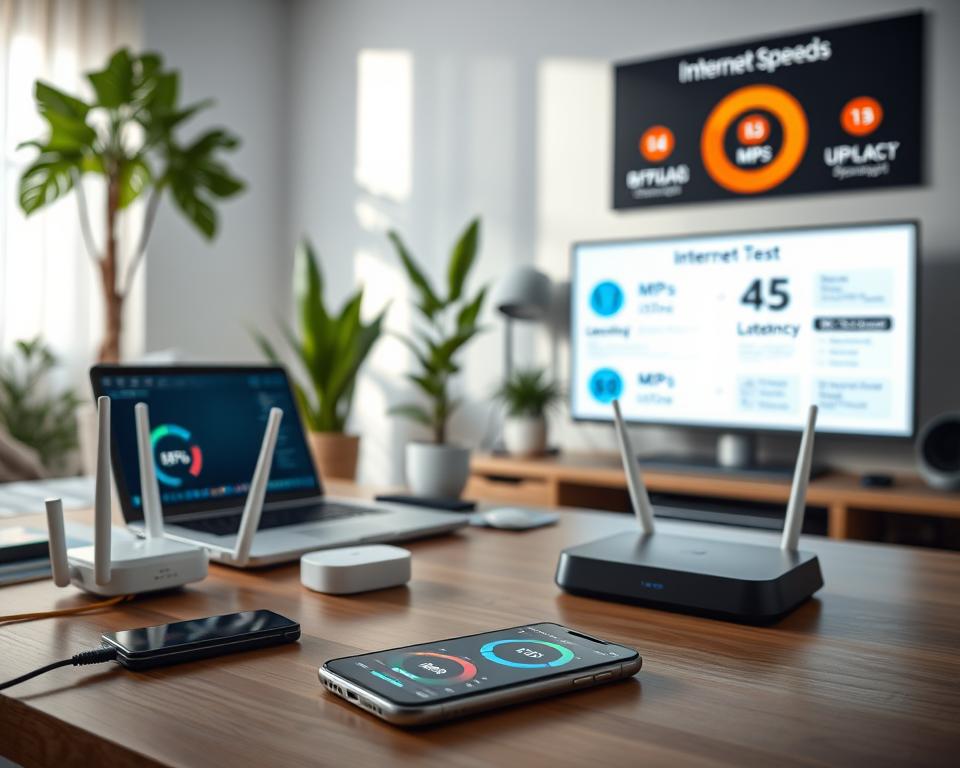
To know how fast your internet is, testing it is important. There are many tools online that can check your download and upload speeds. These speeds can change depending on how many people are online or the time of day. Testing often helps you find and fix speed issues for a better internet connection.
Optimize Your Router Placement
Your WiFi network’s performance heavily relies on your router’s placement. To boost signal and speed, placing your router properly is key. Moving your router can make a big difference.
Importance of Location
It’s vital to pick the right spot for your router. A central spot helps signals spread more evenly in your home. Stay away from corners or closed spaces to avoid signal issues. A quick home scan can show where interference is worst, helping you find the best spot for your router.
Elevate Your Router
Raising your router is important for better network performance. Putting it higher, like on a shelf or wall-mounted, can bypass many signal blocks. This lets WiFi signals move farther and clearer, boosting your home’s connection.
Avoid Obstacles
Physical barriers can really hurt your WiFi. Keep your router clear of big electronics and metal to keep the signal strong. Also, don’t put it in cabinets or behind furniture, as it blocks the signal. Avoiding these obstacles helps you get the best WiFi possible.
Upgrade Your Equipment
Upgrading your WiFi begins with getting a newer router. A modern router boosts performance, especially with advanced technology. Look for routers from Asus or Netgear. They have great features for speed and handling many devices.
Choosing the Right Router
Knowing your needs is key when picking a router. Choose one that supports the newest Wi-Fi standards for better latency and coverage. Routers with dual-band features offer stable connections for many devices. This means everyone gets fast internet without trouble.
Benefits of a WiFi Extender
Wifi extenders are great for houses where routers can’t cover everywhere. They fill in coverage gaps, perfect for big homes or ones with lots of walls. A good extender means great internet everywhere at home.
Consider a Mesh Network
Mesh networks are great for strong, wide-ranging WiFi. They have nodes that work together, removing dead zones and keeping speed steady everywhere. Eero and Google Nest are top choices for easy-to-use mesh networks. These can make your WiFi much better.
Adjust Router Settings
Adjusting your device settings can really boost your WiFi’s performance. Small tweaks can make your internet connection more stable. Changing the WiFi channel is a key step. It helps avoid interference from other networks nearby, which is great in crowded places. Channels 1, 6, and 11 are best for a clearer signal.
Change WiFi Channel
To switch channels, first log into your router’s admin area. Then go to the wireless settings. Changing channels might greatly improve your signal strength and make your connection more stable.
Update Firmware Regularly
Updating your router’s firmware is also crucial for keeping its performance top-notch. Regular updates boost performance and security by fixing weaknesses. Even though many routers update automatically, checking yourself ensures your device is running well. Setting reminders can help you remember to keep your router both secure and up-to-date.
Limit Interference from Other Devices
Many devices in your home can affect your WiFi. It’s important to know which ones cause trouble. Items like microwaves, cordless phones, and Bluetooth devices can mess with your signal. By figuring out which devices are the culprits, you can work on keeping them away from your WiFi. This will make your internet connection better.
Identify Common Interference Sources
To make your WiFi faster, look around your home. Here are some common troublemakers:
- Microwaves
- Baby monitors
- Bluetooth gadgets
- Cordless phones
- Wireless security cameras
Keep your router away from these items if you can. Turning off devices you don’t need during important online activities can also help. This makes your WiFi signal clearer.
Use Wired Connections When Possible
Using wires for devices that use lots of internet can make things better. Devices like game consoles and computers work better with an Ethernet cable. Wired connections are faster and more reliable than WiFi. They avoid interference and use your internet more effectively.
Here’s a quick comparison of wired and wireless connections:
| Connection Type | Speed | Stability | Interference |
|---|---|---|---|
| Wired | High | Stable | Low |
| Wireless | Variable | Less Stable | High |
Secure Your Network
Making your wifi network secure is key for both safety and performance. If your network is open or not well protected, it’s easy for others to access it without permission. This can cause your internet to slow down due to overuse.
Importance of Password Protection
Keeping your network safe with a password is very important. Use strong, unique passwords to keep unwanted users out. Password protection importance is not just about preventing access.
It also stops your network from slowing down because too many people are using it. WPA2 encryption is the best way to keep your network secure.
Disable Guest Networks
It’s a good idea to disable guest network access to keep your wifi safe. Guest networks are convenient but can be risky. If you don’t need guest access, turning it off helps.
Only people you approve can use your network. This is a smart move to keep your wifi fast and secure.
Control Bandwidth Usage
It’s vital to manage bandwidth well to boost your home network’s speed. With many people doing things like online games or watching videos, the net can get slow for others. Luckily, modern routers have tools to spot and manage what uses most of your bandwidth.
Identify Bandwidth Hogs
To make your network run better, find out what uses most of the bandwidth. Your router’s interface lets you quickly identify bandwidth hogs. Look for devices that use a lot of data, especially when everyone is online. Checking this often helps you manage your data better.
Use Quality of Service (QoS) Settings
Many routers have a Quality of Service (QoS) feature. QoS lets you control how bandwidth is used by setting priorities for apps and devices. For example, if you need better speed for gaming or video calls, you can set more bandwidth for those. This makes things run smoother with less delay. Using QoS not only improves performance for key tasks but also makes your network more reliable.
| Application | Bandwidth Consumption (Mbps) | QoS Priority Level |
|---|---|---|
| Video Streaming | 5-25 | High |
| Online Gaming | 3-15 | Medium |
| Web Browsing | 1-5 | Low |
| File Downloading | 10-50 | Medium |
Use Ethernet Connections for Key Devices
While WiFi is handy, Ethernet connections can boost your internet experience. They offer higher speeds and less delay, which is critical for stable online activities. By using wired connections, your devices will perform consistently better than they do with WiFi.
Benefits of Wired Connections
Compared to wireless, wired connections have several advantages:
- They face less interference from other networks and devices
- Offer constant speeds, which is great for gaming and streaming
- Have minimal latency, improving online communication
- Better security as it limits who can access your network
Which Devices to Connect
Focus on connecting devices that need reliable Ethernet. Here are some important ones:
- Gaming consoles like PlayStation and Xbox
- Desktop computers for the best performance
- Smart TVs for seamless streaming
- Network-attached storage (NAS) for easy file access
Regularly Restart Your Router
Restarting your router is easy but often ignored. It’s just doing a quick reboot to fix internet problems. Doing this often can make your online life better.
How Often Should You Restart?
Experts say to do it every month. But how you use the internet might mean you should do it more. If your internet is slow or cuts out a lot, try restarting more often. Watching how well your internet works will show you when to do it.
Benefits of a Fresh Start
Restarting your router does a lot of good. It cleans out the memory and gets connections working better. This might even fix ongoing internet problems. Doing this often means faster internet and fewer problems, so things like watching videos are better.
Consider a Higher-speed Internet Plan
If your home network is up to par and you’re still seeing slow speeds, think about a faster internet plan. Look at how you use the internet and how many gadgets are online at once. This will help you figure out what speed you need. Think about how many people are in your home and what they do online.
When to Upgrade
Deciding when to get a faster plan can be hard. Yet, if videos take too long to load, games lag, or downloads drag, you likely need an upgrade. Watching how quickly your usual online tasks load can help you know if it’s time for a change.
How to Know if You Need More Speed
A good way to gauge your speed needs is to chat with neighbors about their internet plans. You should also talk to your internet provider about better options. Getting enough speed for each user can make a big difference, especially in a house with lots of people online.




