

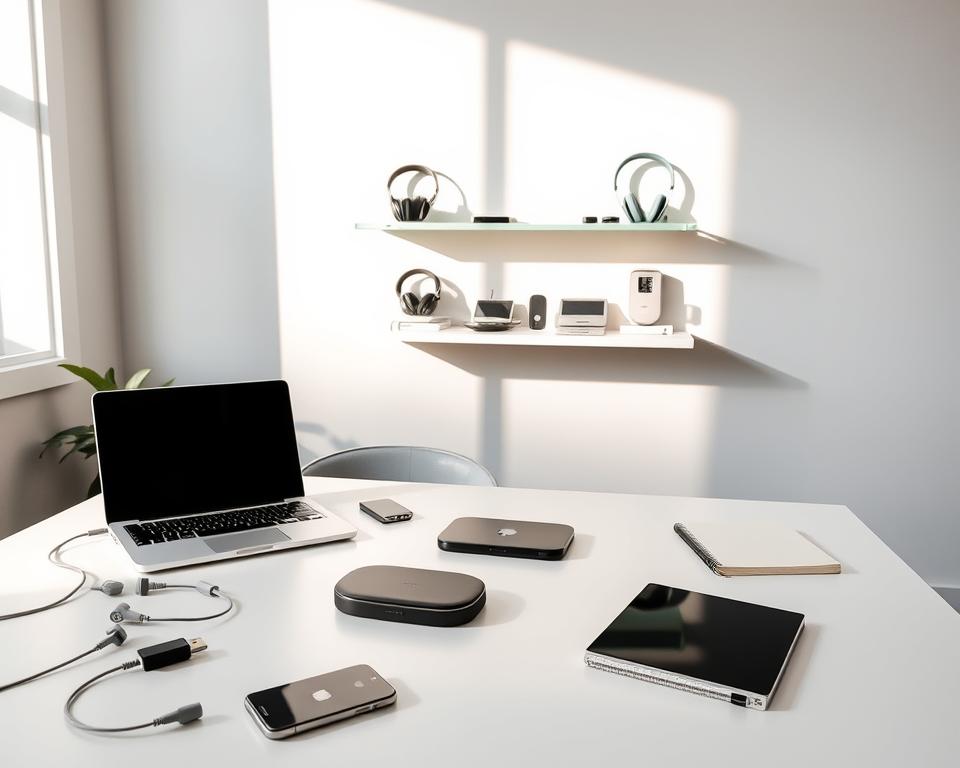
Did you know 77% of people feel swamped by their digital mess every day? This fact shows why we need a good tech declutter plan. It helps keep our digital spaces neat. In our lives today, we use devices for almost everything. So, keeping our tech tidy is key. Decluttering tech stuff regularly makes things run smoother, reduces stress, and helps us work better. This guide will show you how to keep your electronic life organized and share tips to make productivity easy.
Key Takeaways
- A tech declutter routine helps improve device performance.
- Regular digital cleaning minimizes feelings of overwhelm.
- Streamlined digital workspaces enhance productivity.
- Minimalist tech organization fosters efficiency.
- Electronic organization tips can simplify your digital life.
What is a Tech Declutter Routine?
A tech declutter routine helps keep your gadgets tidy and easy to use. It means cleaning and organizing your computers, smartphones, and tablets regularly. This is key for better usability and speed. It’s important in our tech-heavy world to clean up digital messes. Too many files, old apps, and constant alerts can make our digital spaces chaotic. This chaos can make it tough to focus and do well in our tasks.
Understanding Digital Clutter
Digital clutter is when you have too many unused files, apps, and alerts filling up your devices. It takes up space and can stress you out. Getting rid of these digital distractions helps make things simpler. When your digital world is clean, you can focus better and enjoy using your tech more.
Benefits of Regular Decluttering
Adding a tech declutter routine to your daily life has a lot of perks. Cleaning your digital spaces regularly means:
- Increased focus and mental clarity
- Enhanced device performance and speed
- Improved productivity in daily tasks
- Less frustration from navigating a disordered digital environment
Staying on top of your digital clutter lets you keep a neat and efficient setup. This means a better experience with your technology.

Signs It’s Time to Declutter Your Devices
Monitoring your devices can boost their performance and simplify your digital space. It’s key to spot signs of too much digital stuff. You might notice slow performance or low storage alerts. These signs suggest it’s time to tidy up your tech.
Sluggish Performance Symptoms
Is your device slow to follow commands or takes too long to open apps? This might mean there’s too much digital clutter. If things lag or start up slowly, it’s time to clean out useless files and apps. Cleaning up can make your device run smoother and faster.
Storage Alerts and Warnings
Getting low storage space alerts means too much clutter. These alerts come when your device’s storage is almost full. It’s vital to sort out your files and apps then. Too much stored stuff can drag down your device’s performance, highlighting the importance of keeping your digital space neat.

Step-by-Step Guide to Decluttering
To start a good tech decluttering routine, follow a few steps. Begin by sorting your apps to boost your productivity. Once your apps are in order, organize your files and folders for a clean structure. Lastly, get rid of accounts you don’t use to keep your digital space tidy.
Organizing Your Apps
First, group your apps into folders like work, fun, or social. This makes it easy to find what you need fast. If you delete apps you don’t use, you’ll have more space and less mess. It’s a key step in making your tech life more organized.
Managing Files and Folders
Having a clear system for your files is crucial. Name your files so you can find them easily. Put similar files together in folders, whether for work, pictures, or personal stuff. This way, you can find important files fast, which makes you more productive.
Removing Unused Accounts
Look at the online accounts on your devices. Get rid of ones you no longer use or need. This makes your online life simpler and safer. Unused accounts can be a security risk, so cleaning them up is smart.
| Task | Description | Benefit |
|---|---|---|
| Organizing Apps | Group apps by categories and delete unnecessary ones. | Faster access and fewer distractions. |
| Managing Files | Create a structured file organization. | Easier file retrieval and improved workflow. |
| Removing Accounts | Delete old online accounts. | Reduced clutter and enhanced security. |
Prioritizing Important Data
In our digital world, it’s key to know which data is most important. When you clean up your tech stuff, figure out which files are crucial. This step helps avoid losing important info. You must check each file’s value and decide if it’s worth keeping.
Identifying Essential Files
First, sort your files by how important they are. Think about questions such as: Which files do I need for work? Which photos or videos are special to me? These questions help you focus on what’s truly important. To make this easier, you can create lists like:
- Work-related documents
- Personal photos and videos
- Financial records
- Important correspondence
Using Cloud Storage Effectively
Next in cleaning your tech is using the cloud for storage. Cloud storage helps you organize and backup important files. It’s a safeguard against losing data to computer problems. Plus, it lets you reach your files from various devices. Below are tips on how to best use cloud storage:
- Always back up key files to a service like Google Drive or Dropbox.
- Put files in folders with clear names for easy finding.
- Adjust sharing settings depending on who needs to see the files.
Planning ahead with your data makes digital life simpler. With smart cloud storage use, you can easily get to your important files. This also helps reduce digital mess.
Streamlining Your Digital Life
In today’s fast-paced digital world, it’s important to keep your focus. To do this, you need a plan for managing technology. A good start is to declutter your tech by focusing on what’s essential and reducing distractions. You can simplify notifications and organize your home screen to make things better.
Simplifying Notifications
Begin by looking at all the notifications you get. Many apps have default settings that send too many alerts, which can be distracting. Turn off notifications that you don’t need to clear up your digital space. This helps you keep only the important stuff, making your tech use simpler.
Customizing Your Home Screen
Then, change your home screen to make your daily tasks easier. Put the most used apps front and center for quick access. You might want to group apps in folders or delete ones that slow you down. By doing this, you create a clean and efficient digital space.
Creating a Tech Declutter Schedule
Making a tech declutter schedule is key to keeping your digital space tidy. Doing this regularly stops digital mess from piling up. You can set daily, weekly, and monthly tasks for keeping your devices and workflow in top shape.
Daily, Weekly, and Monthly Routines
Dividing decluttering tasks into daily, weekly, and monthly chunks can make things easier. Every day, you might want to clear out all those extra notifications and emails you don’t need. On a weekly basis, take some time to organize your files and line up your apps so everything’s right where you need it.
When the month comes to an end, do a full check. Look over your storage, back-ups, and decide which files you still need to keep.
Setting Reminders for Maintenance
To keep up with your decluttering schedule, using reminders can be really helpful. Setting up alerts on your calendar or using task apps can nudge you to stick to your cleaning routine. This way, you’ll stay on top of your digital clean-up and avoid putting it off, making sure your digital spaces are always neat.
| Routine Type | Task | Frequency |
|---|---|---|
| Daily | Clear unnecessary notifications and emails. | Every Day |
| Weekly | Organize files and arrange apps. | Once a Week |
| Monthly | Review backup options and assess storage needs. | Once a Month |
Tools to Assist in Tech Decluttering
When you want to clean up your tech, the right tools are key. You can find many apps and software to organize your digital world. They make decluttering easy and can do some tasks automatically. This lets you focus on the important stuff.
Recommended Apps for Organization
Some apps are really good at helping you stay organized. Here are a few that stand out:
- Trello: Great for task management and visual organization.
- Todoist: Perfect for tracking tasks and setting reminders.
- Evernote: Ideal for capturing notes and organizing information.
- Notion: Provides robust features for project management and documentation.
Software Solutions for File Management
Managing your files is a lot easier with the right software. Let’s look at some popular options:
| Software | Key Features | Best For |
|---|---|---|
| Dropbox | File sharing, cloud backup, synchronization | Individual users and small teams |
| Google Drive | Integrated Google apps, collaboration tools | Collaborative projects and document sharing |
| OneDrive | Microsoft integration, file recovery options | Windows users and Microsoft 365 subscribers |
| Box | Enterprise solutions, advanced security features | Large organizations needing compliance |
Teaching Others Your Tech Declutter Routine
Sharing your tech declutter routine can really improve how your friends and family use digital devices. Getting people involved in tidying up their digital space builds community. It also ensures everyone learns great digital habits together. When you teach others how to declutter, it helps create a place where everyone’s digital life is more organized.
Involving Family and Friends
Involving your loved ones in decluttering tech can motivate everyone. Talking about why it’s important helps everyone stay on track. This makes cleaning up our digital spaces together easier.
- Organize family declutter day sessions to tackle devices together.
- Create group challenges to simplify app usage or file management.
- Regularly share your progress to inspire them to join in.
Sharing Tips and Resources
It’s great to share tips on organizing digital tools. Your experiences can really help others. Here’s how you can share your knowledge:
- Create a simple guide summarizing your tech declutter routine for easy reference.
- Host informal discussions or workshops focused on decluttering strategies.
- Utilize social media platforms to exchange ideas and resources.
By involving others, your tech decluttering becomes a shared advantage. It leads to a more focused and tidy digital space for all.
Common Pitfalls to Avoid
Starting a tech declutter routine can improve how you use digital tools. But there are common errors you might make. Knowing these pitfalls helps make the process smoother and the results better. When you clean out your devices, keep these points in mind.
Overwhelming Yourself
Many people try to clean everything at once and get overwhelmed. Instead of clearing all devices and files right away, start small. Work on easy tasks first. This will lessen stress and keep you focused.
Going step by step keeps you motivated and helps keep your digital space tidy. It makes it easier to get things done without getting frustrated.
Ignoring Security Risks
When you’re cleaning out your digital clutter, it’s easy to forget about security. If you delete things without checking them first, you might risk your security. Make sure you’ve saved all important data and checked your security settings before you delete anything.
Updating passwords and checking your accounts often is key. It helps keep your private info safe. This way, your clean digital space stays secure too.
Maintaining Your Decluttered Setup
To keep your tech space clean, make it a point to check your devices regularly. Setting a time each month to see what’s new or unused can highlight areas that need work. Doing this keeps your digital space clean, boosts device performance, and reduces unwanted distractions.
Regular Check-ins
Having routine checks helps you manage clutter better. Look over your apps, files, and notifications during these times. This stops clutter from building up again and makes using your tech smoother. Keeping your digital world decluttered is ongoing, not a one-off task.
Adapting Your Routine Over Time
As things change, so should your decluttering habits. You might need to clean up more or less often, or try out new organization tools. Building habits like revisiting your setup regularly helps you stay adaptable. This approach makes for a better and more focused digital experience, letting you concentrate on what’s important.




