


More than half of small businesses that lose their data shut down within six months. This fact shows how key a file backup routine is to keep your data safe. A good backup plan protects against surprises like equipment failures, cyber threats, or natural disasters. It lets you quickly get back important info and keep your business running. Using an automated backup system can greatly improve how well you’re protected. This reduces the risks that come with losing or damaging data.
Key Takeaways
- Establish a consistent file backup routine to secure data integrity.
- Automated file backup solutions simplify data management.
- Recognize the potential risks of not backing up your files.
- Implement diverse backup strategies for comprehensive protection.
- Ensure prompt data recovery to minimize operational downtime.
- Stay informed about the latest backup technologies and solutions.
Understanding the Importance of a File Backup Routine
Knowing how important a reliable file backup routine is matters for everyone. When we lose data, the challenges can be huge. Learning why data disappears can show us the importance of backups.
Why Data Loss Happens
Data loss upsets many people. It usually comes from several issues. Hardware can fail unexpectedly, and mistakes by people are common. Cyber threats like ransomware attacks harm data. Natural disasters show us why we must prevent data loss.
Common Causes of Data Loss
- Hardware Failure
- Human Error
- Cyber Attacks (such as Ransomware)
- Natural Disasters
- Software Corruption
Understanding these reasons for data loss helps us. It makes us see why backups are vital. Acting early can prevent lots of problems and loss.
The Financial Impact of Losing Data
Losing data hits hard financially. Without good backup plans, companies face downtime costs and lost productivity. Customers might lose faith if data issues happen often. Legal troubles could increase money losses. Protecting data first can avoid these troubles.

Types of Backup Methods
It’s crucial to know the different ways to back up your files. Each way meets different needs and protects your data differently. By knowing what you need, you can pick the best method to keep your information safe.
Full Backups
Full backups make a complete copy of all your data at once. This method saves every file for later use. But, full backups take a lot of time and storage space. Companies often use this method regularly to make sure they have everything backed up.
Incremental Backups
Incremental backups save only the new changes since the last backup. This saves time and storage space, making it a favorite for many. It helps people keep their backups recent without using too much space.
Differential Backups
Differential backups are in the middle of full and incremental methods. They save changes since the last complete backup. This makes recovery faster than incremental but more storage-friendly than full backups. Choosing this depends on your backup needs.
Creating a Robust Backup Schedule
Setting up a reliable backup schedule is crucial to keep data safe. How often you back up your data really matters for security. Organizations need to look at their daily work to decide on the best backup timing—daily, weekly, or monthly. A good backup plan can save lots of time and resources if data is lost.
Frequency of Backups
The right backup frequency depends on your data’s type and importance. For essential files that often change, backing up every day is smart. But for data that doesn’t change much, weekly or monthly backups might be enough. This way, you always have the latest version of your data safe.
Best Times to Schedule Backups
The timing of backups is very important for a smooth process. By scheduling backups for late at night or early in the morning, when fewer people are working, you avoid interrupting the day’s work. This method makes automated backups easier and keeps productivity high.
Automating Your Backups
Automation can make a big difference in keeping a consistent backup routine. It cuts down on the manual work and makes sure backups happen regularly. With the right software, managing backup schedules becomes easy, ensuring data is always backed up correctly and on time.
Choosing the Right Backup Storage
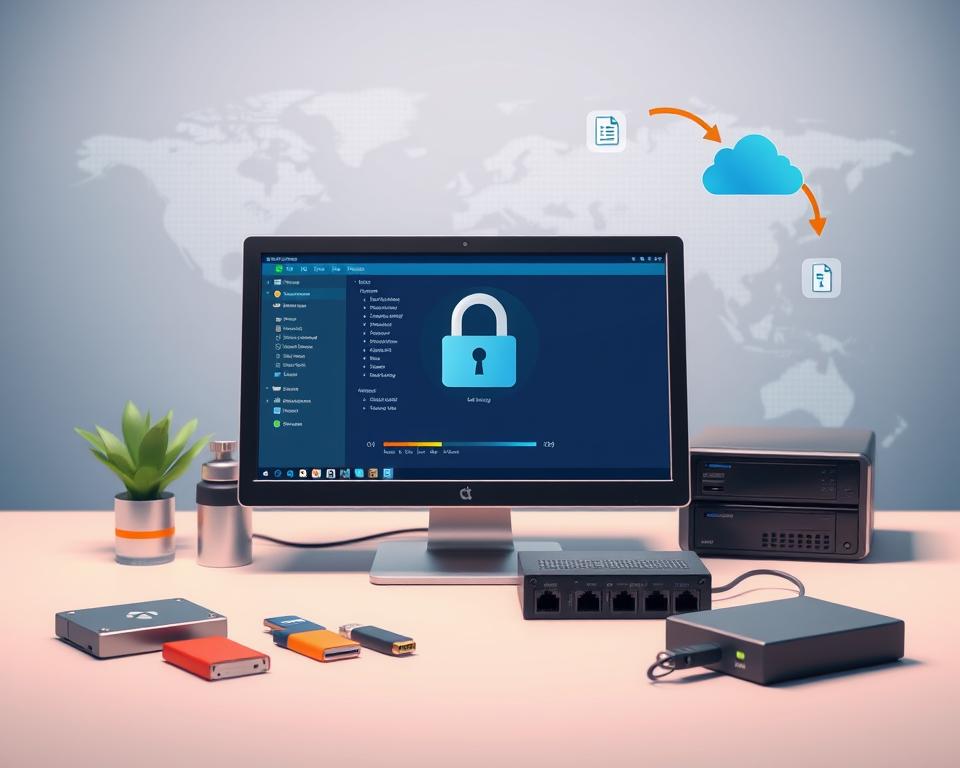
Picking the right backup storage is key to a good file backup plan. People and companies often weigh local versus cloud storage. They each have their own pros and cons. Knowing these differences helps make a smart choice.
Local vs. Cloud Storage
Local storage gives fast file access, which is perfect for those needing files quickly. Think of using external hard drives for this. However, if a disaster hits, you could lose a lot of data. On the flip side, cloud storage is great for keeping files safe from local problems. But, you might have to pay monthly fees, so think about your budget.
Pros and Cons of External Hard Drives
External hard drives are a solid backup option. They allow quick data moves and you actually own something physical. But, they can get damaged or stolen. Think about their size and toughness when picking one. Also, decide how often you’ll back up files and if you want it to be manual or automatic.
Evaluating Cloud Service Providers
Choosing cloud storage means looking closely at different providers. Important things to check are security, bandwidth limits, and how they handle data. Make sure they follow laws to avoid legal issues. It’s smart to compare different services to avoid problems with getting to your data or keeping it safe.
Essential Tools for File Backup
Choosing the right file backup software is key to protecting valuable data. The market offers many tools for file backup. They have special features to make saving your data easier. Picking the best software can make backing up your data more convenient, safe, and efficient.
Best Backup Software Solutions
Some backup software options are better because they are easy to use and very effective. Programs like Acronis True Image, Backblaze, and EaseUS Todo Backup have everything you need. They let you set up backup schedules, use cloud storage, and keep your data safe with encryption. One of these might be just what you need to keep your files safe.
Features to Look for in Backup Tools
When looking at file backup software, think about several important features:
- User-friendly interface
- Flexible backup options (full, incremental, differential)
- Robust recovery options
- Encryption for data security
- Responsive customer support
These factors greatly affect how well your file backup process works.
Free vs. Paid Backup Options
Backup solutions can be free or paid, and each choice has its ups and downs. Free versions are good for personal use with basic features. However, they often miss out on advanced features. On the other hand, paid backup software offers better security, full support, and more features for serious backup needs. Deciding between them means looking at what you need and comparing the benefits of each option.
Testing Your Backup Routine
It’s key to set up a reliable testing backup routine to keep data safe. Checking regularly ensures the process isn’t a one-off but a continuous effort. By doing tests often, you can spot and fix issues early.
Importance of Backup Verification
Verifying your backups is crucial for protecting your data. If skipped, you might wrongly think your data’s secure. These checks find any missing files, making sure everything’s saved and can be recovered when needed.
How to Test Your Backups
Testing backups can be straightforward. Just follow these steps:
- Start by restoring some files randomly picked.
- Ensure the files restored are intact.
- Check all backups are error-free and complete.
- Look at logs for signs of backup problems.
Common Backup Failures to Watch For
Knowing what can go wrong with backups is a good preventive measure. Be alert for:
- Backups that don’t cover all necessary files.
- Files that are damaged and can’t be recovered.
- Issues caused by updates to your software.
Keeping Your Backup Secure
It’s crucial to keep your backup secure to protect sensitive info and make sure data is always there when you need it. A good protection plan includes lots of things like making data scrambled, handling passwords wisely, and knowing about dangers online.
Encryption and Data Protection
Scrambling data, or encryption, is key for keeping info safe both when sending it and keeping it stored. This way, only people who should see your info can. Checking your scrambling methods regularly helps fight off new online threats.
Best Practices for Password Management
Good password habits are essential for backup security. Some top tips are:
- Mixing up letters, numbers, and symbols for complex passwords.
- Adding an extra security step with multi-factor authentication.
- Changing passwords often to block out hackers.
Awareness of Security Threats
Knowing about online dangers like viruses and scams helps stop hacks before they happen. Educate your team on what to watch for. Keep an eye on backups for anything odd, so you keep your data safe.
| Security Measure | Description | Importance |
|---|---|---|
| Encryption | Secures data by encoding it, restricting access to authorized users. | Critical for protecting sensitive information from unauthorized access. |
| Password Management | Involves creating and maintaining strong passwords and using multi-factor authentication. | Enhances security and prevents unauthorized access to backup systems. |
| Threat Awareness | Understanding potential cyber risks and training users to recognize threats. | Emphasizes proactive measures to defend against data breaches. |
Customizing Your Backup Solutions
Customizable backup solutions are key to protecting various kinds of files. It’s crucial to tailor backups for documents, databases, and high-resolution media. Knowing the best way to set up backups can greatly improve data safety.
Tailoring Backups for Different File Types
Not every file needs the same backup method. Important business documents often need to be backed up more frequently. On the other hand, big databases might not need frequent backups but require detailed ones. Adapting your backups to the type of file can make data more secure and recovery easier.
Special Considerations for Large Files
Backing up large files presents its own set of challenges. These files can take a lot of time to back up and restore, affecting your work. Using methods like incremental backups or compressing files can help save time and storage.
Backing Up Mobile Devices
In our digital world, backing up mobile devices is incredibly important. They hold so much personal information that needs protection. Using cloud services for mobile backups or software for managing devices can make backing up easier.
Tips for a Successful Backup Routine
A good backup routine isn’t just about having the right software or hardware. It’s about creating a culture of being alert and proactive. To really boost your backup game, set reminders. Getting everyone in your family or team on board is key. They need to know why saving data matters. As technology and needs change, so should your backup methods. This keeps everything up to date.
Setting Backup Reminders
Effective reminders are a big part of keeping your data safe. Use apps or tools that remind you when it’s backup time. These alerts are important steps in keeping a solid backup routine going.
Educating Family or Team Members
Building a culture that values backups starts with awareness. Teach your family or team why backups are a must. Hold quick meetings to talk about the risks and perks. Also, show them easy things they can do to help keep your data safe.
Regularly Updating Backup Practices
It’s important to stay up-to-date with technology to protect your data well. Make sure you regularly check and improve your backup methods. This way, you stay ahead of new threats and can use the latest tools. It makes your backup plan stronger and keeps your data secure.
What to Do After Data Loss
Dealing with data loss is stressful, but knowing what to do next is key. First, figure out how much data is gone and how to start getting it back. Often, you can retrieve lost files with the right steps.
Steps to Recover Lost Files
First, know what files you’re missing and why they’re gone. This could be due to a software glitch, hardware crash, or an accidental delete. Look to your backups first for recovery. If your backups are up-to-date, getting your data back can be easy. Failing that, you might need to use recovery software made for finding lost files.
When to Contact Professionals
If you can’t get your files back on your own, it’s wise to contact experts. There are companies that specialize in getting back lost data when usual methods fail. Make sure you pick a company that’s well-respected and known for successful recoveries.
Importance of Learning from Experiences
Every time data is lost, there’s a chance to learn. Thinking about what went wrong helps you make better backup choices later. Learning from these moments improves how you handle data, making it safer and better protected in the future.
Avoiding Backup Pitfalls
Having good backup habits is key to avoid losing data. Understanding backup pitfalls helps people and businesses avoid big problems. By knowing what not to do, you can make your data safer.
Common Mistakes to Avoid
Many groups make the same errors with their backup plans. Here are some big common mistakes in backup strategies:
- Not checking and testing backups regularly, which can cause issues when you need to get data back.
- Using only one way to back up data, which makes it easy to lose data if something goes wrong.
- Not encrypting private data, putting it at risk.
Misconceptions about Backup Routines
Some people have wrong ideas about backing up their data that could put their data in danger. Thinking that just saving data in the cloud is enough without local backups is a mistake. Mixing cloud and local backups is a better way to keep data safe.
Signs Your Backup Needs Improvement
There are clear signs that your backup methods might need to get better. These signs include:
- It takes too long to get your data back when you need it.
- Using old tech that doesn’t work well anymore.
- Not having a clear plan for backing up data, which makes things hard in emergencies.
Staying Updated on Backup Technologies
It’s critical to keep your data safe, not just by regular routines but by keeping up with backup tech changes. Innovations like unchangeable storage and better cloud services offer more security and efficiency. Knowing about these new trends helps shape better backup plans.
Updates to your backup software are crucial. These updates fix security risks. If ignored, your data could be in danger despite having a backup strategy. Check and apply these updates often.
Joining online discussions and forums is very helpful. You can share and learn from others’ experiences with backups. This collaboration introduces best practices and new insights. It keeps you up-to-date on backup technology changes, improving your backup solutions.




