

Did you know that over 80% of American households now stream shows and movies? This shift shows how important it is to have the right streaming device. As viewers enjoy platforms like Netflix, Hulu, and Disney+, finding the best device is key.
In this guide, we’ll compare Roku, Amazon Fire TV, and Apple TV. We’ll dive into streaming device reviews and specs. This will help you boost your TV’s performance and enjoy your favorite entertainment.
Key Takeaways
- Over 80% of US households use streaming services.
- Choosing the right streaming device can enhance your viewing experience.
- Popular devices include Roku, Amazon Fire TV, and Apple TV.
- Understanding streaming device specs is essential for making an informed choice.
- Streaming device reviews help clarify pros and cons of various options.
Introduction to Streaming Devices
Streaming devices have changed how we enjoy movies and shows at home. These small gadgets let users watch movies, series, and live events by connecting to the internet. They improve your watching experience by explaining what streaming devices are, how they work, and why they’re important.
What Is a Streaming Device?
A streaming device is a gadget that brings digital content to your TV. It includes things like the Amazon Fire Stick or Roku, and consoles that can stream too. With one of these, users can watch Netflix, Hulu, and Amazon Prime Video all in one place.
How Streaming Devices Work
These devices connect with the internet to get content. Once you pick a show or movie, they turn internet signals into something your TV can show. Most streaming devices let you watch in HD or 4K, making everything look great.
Why You Need One for Your TV
As fewer people subscribe to cable, streaming devices become key for getting on-demand and live content. They’re great for old smart TVs that can’t handle new streaming tech. Adding a modern streaming device means way better TV options.
Popular Streaming Devices Reviewed
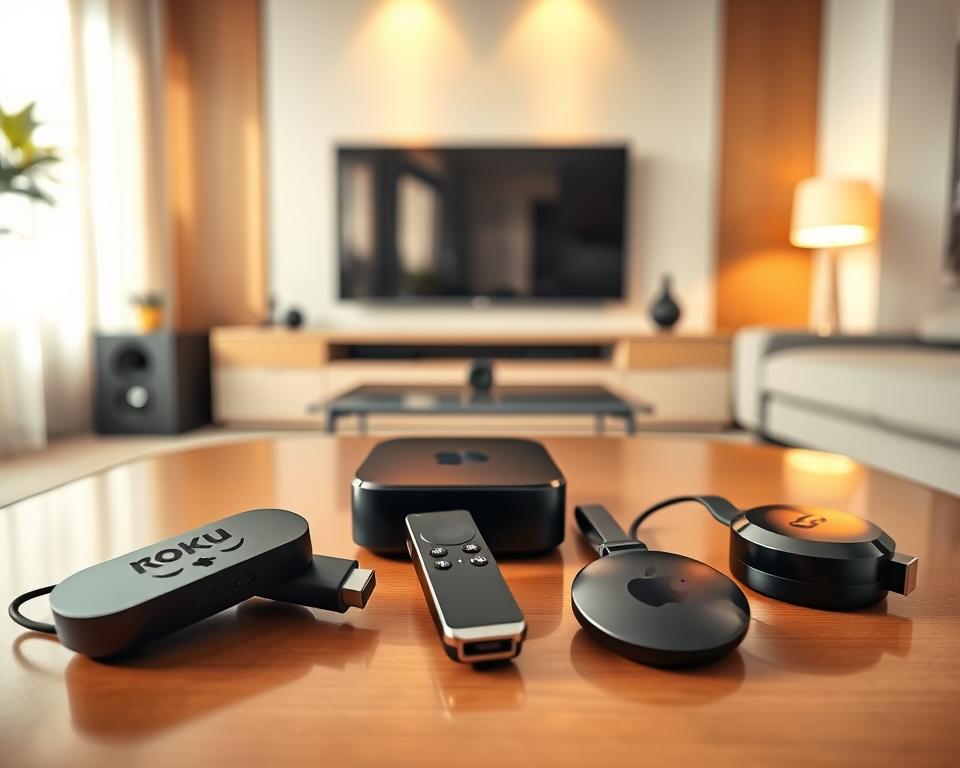
Choosing the right streaming device today can majorly improve your TV watching. You’ll find several choices, each with its own cool features. Here, we’ll talk about three big names: Amazon Fire TV Stick, Roku Streaming Stick, and Apple TV 4K. Each has special traits that make them top options for anyone looking to boost their home TV setup.
Amazon Fire TV Stick
The Amazon Fire TV Stick is a top pick. It works great with Amazon Prime Video, offering a huge selection of shows and movies. What stands out in reviews is its support for Dolby Vision for amazing visual quality. Plus, using Alexa to control it is super easy and smart.
Roku Streaming Stick
The Roku Streaming Stick gets lots of love for its simple design and huge selection of apps. Reviews point out its knack for offering many streaming services, making it great for varied watching. It also mirrors your mobile screen, making it even cooler to use.
Apple TV 4K
The Apple TV 4K is seen as a luxury choice, noted for its high price. It impresses with its quick processor and wide app availability. Reviews praise its seamless fit with other Apple gadgets, ideal for Apple fans.
| Device | Key Features | Strengths | Weaknesses |
|---|---|---|---|
| Amazon Fire TV Stick | Alexa integration, Dolby Vision | Vast content library | Limited Third-party app support |
| Roku Streaming Stick | User-friendly interface, app library | Supports many services | Less powerful processor |
| Apple TV 4K | Modern processor, Apple ecosystem | Smooth performance | Higher cost |
Comparing Device Features
When you’re trying to find the right streaming device, it’s crucial to compare their features carefully. Different models have special features for every kind of viewer and set-up necessity. We will look at resolution, audio, and user experience to make things clearer.
Resolution and Picture Quality
Resolution is a big deal when choosing a streaming device. Devices like the Amazon Fire TV Stick and Roku Streaming Stick offer 4K, which means super clear pictures. The Fire TV Stick even has Dolby Vision HDR for brighter and more colorful images. So, those looking for the best picture quality will find these options perfect.
Audio Options: Dolby Atmos vs. Surround Sound
Good sound is key for enjoying movies. Devices with Dolby Atmos give a sound that feels like you’re in the movie. Others may offer surround sound, which is also good but doesn’t have that same depth. It’s important to pick the sound option that fits what you want.
User Interface and Ease of Use
The way you navigate your streaming device can make a big difference. Roku is known for being easy to use without a lot of ads getting in the way. The Fire TV has more ads, which might not be for everyone. In the end, choosing a device that’s easy to use will make watching your favorite shows a breeze.
Live TV vs. On-Demand Services
Knowing the differences between live TV streaming and on-demand services helps in choosing the right streaming device. Live TV lets you watch things as they happen. On-demand lets you watch whatever, whenever. Each has cool features for different viewer needs.
Differences Explained
Live TV streams channels in real-time, perfect for watching sports, news, and timely shows. On-demand gives a choice of loads of content to watch any time. It fits all schedules and tastes for a tailored watch experience.
Which Device is Better for Live TV?
Roku and Amazon Fire TV are top picks for live TV. Roku is easy for finding on-demand stuff but varies with live channels. Fire TV is great for live stuff and blends well with Amazon’s stuff, ideal for live TV fans.
Streaming Services Compatibility
It’s crucial your device matches well with streaming platforms. Devices typically work great with Hulu Live, YouTube TV, and Sling TV. Such compatibility means access to both live and a bunch of on-demand services, boosting your entertainment options.
| Feature | Live TV Streaming | On-Demand Services |
|---|---|---|
| Real-Time Access | Yes | No |
| Flexibility | Limited | High |
| Channel Variety | Dependent on Service | Extensive Catalog |
| Best For | Live Events, Sports | Movies, Series |
| Typical Devices | Roku, Fire TV | All Streaming Devices |
Smart Features to Consider
When picking a streaming device, don’t miss out on smart features. They make watching shows more convenient and enjoyable. These features let you control and connect with other home devices easily.
Voice Control Capabilities
Voice control has changed the way we use streaming devices. Now, most have built-in voice features. Amazon’s Fire TV Stick uses Alexa for easy searching and navigating.
With Roku, you just need to speak to find what you want to watch. It’s that simple.
Smart Home Integration
Integrating with smart home devices is key for a connected home. It lets your streaming device work with lights, thermostats, and cameras. This creates a smart home network.
Apple TV works with HomeKit. This lets you control smart devices from one place. It makes managing your home devices simpler.
Mobile App Accessibility
Streaming devices are even better with mobile apps. These apps let you control your device with your phone. You can quickly choose what to watch or change settings.
This means easy navigation and personal suggestions. Mobile access ensures your streaming is always at your fingertips.
Pricing Breakdown
Understanding streaming device prices can help you choose wisely. Prices show what each device offers, from basic to advanced features. Let’s explore budget, mid-range, and high-end streaming devices.
Budget Options
Budget streaming devices work well without costing a lot. Brands like Roku and Amazon have affordable models. These devices let you enjoy popular streaming services easily. Key traits of budget devices include:
- Affordable pricing under $50
- Access to major streaming platforms like Netflix and Hulu
- Great for standard definition and basic HD viewing
Mid-Range Choices
Mid-range devices, like Roku Streaming Stick 4K and Amazon Fire TV Stick 4K Max, offer better specs for a good price. They have better audio and video quality, perfect for serious viewers. Important features are:
- Pricing typically between $50 and $100
- Support for 4K and HDR content
- Enhanced audio options, including Dolby Atmos
High-End Streaming Devices
High-end devices, such as the Apple TV 4K, are for those who want the best. They come with premium features and integration options. Keep these points in mind for high-end devices:
- Pricing usually exceeds $150
- Advanced features like AirPlay and Siri integration
- Exceptional build quality and user interface
Ecosystem Compatibility
Choosing a streaming device means looking at how it works with what you already have. Different brands have special features for their products. This makes it easier for people who like a certain brand to pick a device.
Apple Ecosystem Compatibility
The Apple TV 4K works great with other Apple products. If you have Apple gadgets, it’s handy. You can stream easily from iPads and iPhones thanks to AirPlay. The design matches other Apple items, giving a smooth experience on all devices.
Amazon Alexa Integrations
The Fire TV from Amazon is great for Alexa users. It lets you control home devices and find movies with voice commands. This is super helpful for those deep into Amazon’s world.
Google Assistant Functionality
Google Assistant is also on some streaming devices. It lets you control your home, ask questions, and organize your day with your voice. This is a good choice for fans of Google’s home ecosystem.
| Feature | Apple TV 4K | Fire TV Stick | Other Devices with Google Assistant |
|---|---|---|---|
| Ecosystem Compatibility | High (Apple ecosystem) | High (Amazon ecosystem) | Medium (Google ecosystem) |
| Voice Control | Siri | Amazon Alexa | Google Assistant |
| Smart Home Integration | Limited | Extensive | Extensive |
| Streaming Quality | 4K HDR | 4K HDR | Varies by device |
Streaming Speed and Performance
Understanding how fast and well streaming works is key to enjoying videos and movies. The speed of your internet is important for streaming on different devices. Slow internet means more waiting due to buffering, which can be annoying. Fast internet helps you watch high-quality videos more smoothly, like in HD or 4K.
Importance of Internet Speed
Good internet speed is crucial for clear, high-quality streaming. Depending on the video quality, streaming services suggest specific minimum speeds. For HD videos, you need at least 5 Mbps. For 4K videos, you need 25 Mbps or more. If your internet is slower than these recommendations, you might face interruptions and blurry pictures.
Device Impact on Streaming Quality
The type of device you use affects how well you can stream. Devices like the Amazon Fire TV Stick use the latest Wi-Fi technology to stream faster and more efficiently. This is especially true when watching different channels at once. Also, the power and memory of your device play a big part in handling stream demands. A device that is up to date ensures smoother viewing without stops.
| Resolution | Minimum Internet Speed | Recommended Device Features |
|---|---|---|
| Standard Definition (SD) | 3 Mbps | Basic performance |
| High Definition (HD) | 5 Mbps | Dual-band Wi-Fi, 4GB RAM |
| Ultra High Definition (4K) | 25 Mbps | Wi-Fi 6 or higher, 8GB RAM |
Pros and Cons of Top Devices
Exploring streaming devices helps users find the best fit. Each option comes with its own strengths and weaknesses. These affect how they satisfy your need for entertainment.
Advantages of Roku
Roku is celebrated for being easy to use, welcoming people of all ages. It’s known for its vast app selection, providing many channels and services. Roku is also more affordable than many competitors but doesn’t skimp on important features.
Disadvantages of Apple TV
Apple TV’s main downside is its cost. It works well within the Apple world, but the price is steep for just streaming. Those on a budget may feel Apple TV falls short in features compared to others.
Unique Features of Fire TV Stick
The Fire TV Stick excels with its Alexa voice commands. This makes searching a breeze. It’s quick, granting fast access to shows and movies. While its layout isn’t as user-friendly as Roku’s, it’s still a top choice for speed.
| Device | Advantages | Disadvantages |
|---|---|---|
| Roku | User-friendly interface Extensive app library Affordable |
N/A |
| Apple TV | Seamless integration with Apple ecosystem | High price point Limited features for average users |
| Fire TV Stick | Alexa integration Rapid navigation |
Less intuitive interface |
Making Your Final Choice
Think about what you like to watch as you pick your streaming device. Do you prefer on-demand shows or live TV? Knowing what you’ll watch helps choose the right device for your needs. It makes finding the perfect match for your TV habits easier.
What you want to watch is also key. Different devices offer different services and apps. Make sure your device works with your favorite shows. This ensures you can enjoy what you love without hassle.
Lastly, think about the future. Choose a device that won’t be outdated too fast. Streaming tech changes quickly, but the right choice will serve you longer. This way, your pick will keep you happy for many years.




