

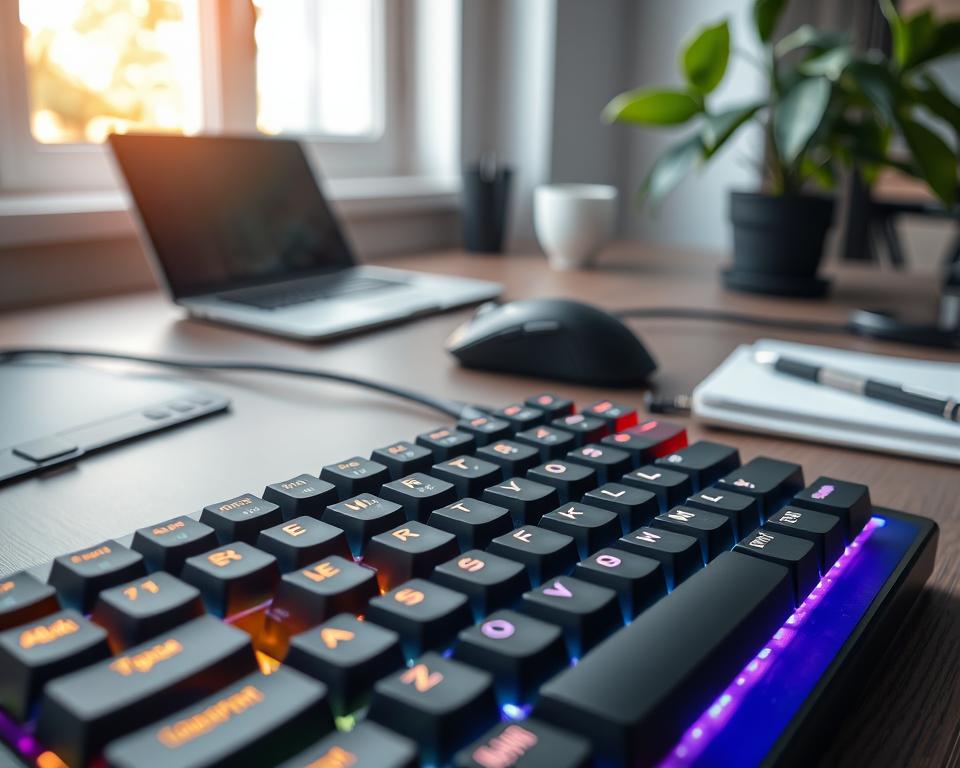
Did you know 70% of office workers feel discomfort while typing? This highlights the need for a good keyboard. Mechanical keyboards ease strain and boost performance with their tactile feedback and durability. They suit daily typists and gamers. Learn about mechanical keyboards to make typing fun and efficient.
Key Takeaways
- Mechanical keyboards can drastically improve typing comfort.
- Tactile feedback enhances typing accuracy and speed.
- Durability ensures long-lasting performance, ideal for daily use.
- A variety of switches cater to different typing preferences.
- Investing in a mechanical keyboard can reduce typing-related discomfort.
Understanding Mechanical Keyboards
Mechanical keyboards are well-liked for their unique typing sensation and great performance. Unlike traditional keyboards that use pressure pads, mechanical versions have switches under each key. These switches give accurate responses and physical feedback, loved by typists and gamers.
What is a Mechanical Keyboard?
A mechanical keyboard stands out because it has individual switches for each key. This gives a satisfying feel when typing. You can pick different switch types based on what you like. This feature sets mechanical keyboards apart from ordinary ones, offering more ways to make them your own.
Key Components Explained
Knowing what makes up a mechanical keyboard helps understand how it works. The key parts include stems, springs, and metal contacts. The stem decides the switch type, affecting the keyboard’s feel and sound. The springs ensure keys respond quickly to touches. Metal contacts make the key press register, making the keyboard last longer and work reliably.
How They Differ from Other Keyboards
Mechanical and membrane keyboards are quite different. Membrane keyboards might be quieter and softer. But they don’t last as long or give the same feedback as mechanical ones. People who use mechanical keyboards like how sturdy they are. They also enjoy choosing their key switches for a better typing feel. This is why many prefer mechanical keyboards over the membrane kind.
Types of Mechanical Switches
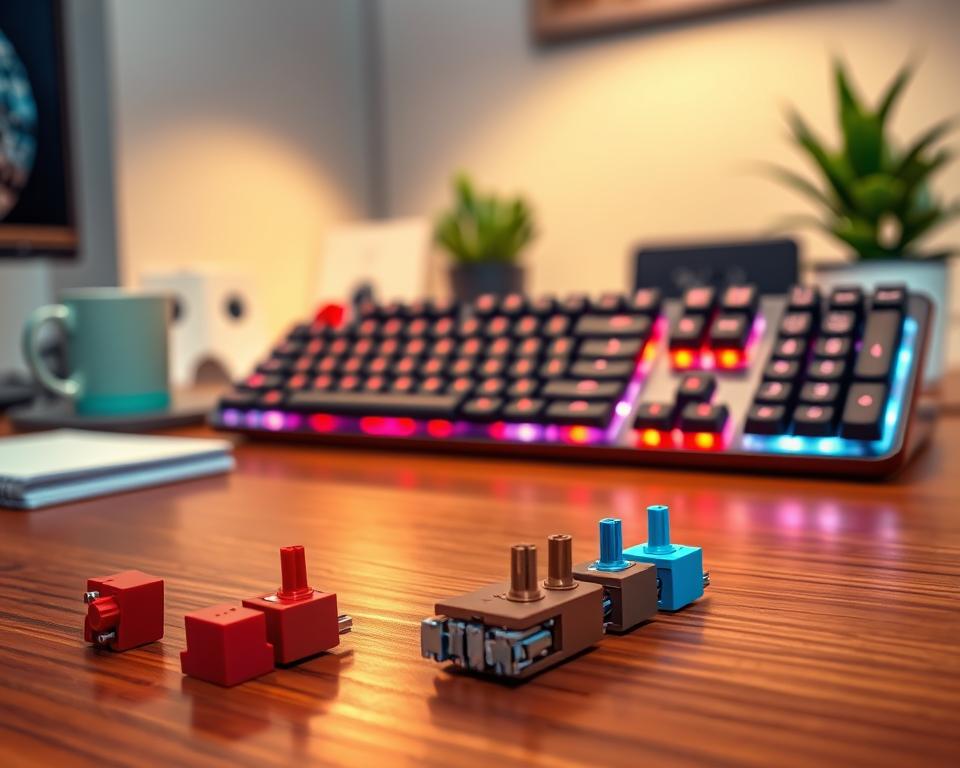
Getting to know the various mechanical keyboard switches is key to a better typing experience. Each kind of switch gives you a different feel, letting you choose what you like best. The main types—Clicky, Tactile, and Linear—each offer a unique touch and sound, changing the way you use your keyboard. Let’s explore the special traits of these switches.
Overview of Switch Types
There are three main types of mechanical keyboard switches. Each one has its own special features:
- Clicky Switches: They make a clear click sound when you press them. This sound gives feedback that many find pleasing.
- Tactile Switches: These switches let you feel a bump when you press a key, so you know it worked. And they’re not too loud.
- Linear Switches: Known for their smooth press, linear switches are great for quick typing or gaming without interruption.
Clicky vs. Tactile vs. Linear
The difference between each type affects how you type or play games.
| Switch Type | Sound Level | Tactile Feedback | Best For |
|---|---|---|---|
| Clicky | Loud | Yes | Typing, General Use |
| Tactile | Moderate | Yes | Writing, Programming |
| Linear | Quiet | No | Gaming, Fast Typing |
Choosing the Right Switch for You
When picking out keyboard switches, think about how you type and what you need. Do you want a loud click or smoother action for quick typing? Trying different switches can show you which you like best. This makes sure you’re comfortable and efficient while typing or gaming.
Trying different switches can make your typing or gaming better. Each type of switch has its own benefits. By exploring them, you can find the perfect setup to boost your productivity.
Key Features of Mechanical Keyboards
Exploring mechanical keyboards shows why they are loved by many. They have great build quality, customization options, and RGB lighting. These features make a strong case for choosing these keyboards over others.
Build Quality and Materials
Mechanical keyboards are made with high-quality materials like aluminum and PBT plastic. This gives them a sturdy design that lasts long. They not only perform well but also look good over time.
These keyboards offer a great typing experience, making them perfect for long-term use. They’re built with attention to detail.
Customization Options
Customization is a big reason why people love mechanical keyboards. You can change keycaps and set up macros to make the keyboard yours. This lets users show their style and type more efficiently.
There are many ways to customize, making it both fun and rewarding to find the right setup.
RGB Lighting and Aesthetics
RGB lighting adds both function and style to mechanical keyboards. It makes the keyboard look cool and helps you see in the dark. You can choose from different effects and colors to make it truly yours.
Benefits of Mechanical Keyboards
Mechanical keyboards make typing better every day. They boost comfort and efficiency with their unique build. The special feedback helps with faster, more precise typing too.
Enhanced Typing Experience
Using a mechanical keyboard changes how typing feels. Each press makes a satisfying click. This makes typing emails or reports fun and keeps you productive. Plus, your fingers won’t get as tired, thanks to the smart design.
Durability and Longevity
Mechanical keyboards are built to last. They use top-notch materials, lasting way longer than standard keyboards. They’re a great deal because they don’t wear out quickly.
Typing Speed and Accuracy Improvements
Switching to a mechanical keyboard often means typing faster. The feedback they give helps you type more accurately. This boosts productivity a lot, making typing more enjoyable.
| Feature | Mechanical Keyboards | Membrane Keyboards |
|---|---|---|
| Durability | High (up to 50 million keystrokes) | Low (5 million keystrokes) |
| Typing Experience | Tactile feedback, satisfying sound | Smooth, less tactile feel |
| Typing Speed | Improved focus and speed | Average speed |
| Customizability | Highly customizable | Limited options |
Common Myths About Mechanical Keyboards
There are many myths about mechanical keyboards that confuse people. It is important to understand these to make a good choice. For example, some think all mechanical keyboards are very loud. This idea stops some from getting them, especially for quiet places or work. But learning about different types of switches shows that not all are noisy.
Debunking Misconceptions
A lot of people think mechanical keyboards are all noisy. This comes from the well-known clicky switches. However, there are quiet switches too, like linear switches. They work well without making much noise. Knowing about these quiet options is key for those who need silence and efficiency.
Understanding Noise Levels
To get how noisy keyboards can be, look at the types of switches. Below is a table showing different switches and their noise levels:
| Switch Type | Sound Level | Best For |
|---|---|---|
| Clicky | High | Typing enthusiasts |
| Tactile | Medium | Balanced use |
| Linear | Low | Office environments |
As you can see, there is a variety of options for different noise level preferences. This means you can choose a keyboard that suits you, without having to worry about noise.
Price vs. Value Analysis
Another myth is that mechanical keyboards are too expensive. It’s true that some are pricey, but you have to think about price vs. value. Mechanical keyboards last longer and perform better than membrane ones. This can save money over time.
Looking at the long-term benefits like durability and comfort, mechanical keyboards can be a better deal. Even if they cost more at first. Clearing up these myths helps people choose better and enjoy their typing more.
Choosing the Right Size
Finding the perfect mechanical keyboard size is key to a great typing experience. You have many options, from full size to tenkeyless, and even compact models. Each type has its own benefits, depending on your needs and the space you have.
Full Size vs. Tenkeyless
Full size keyboards come with a number pad, making them perfect for those who work with numbers a lot. They feel familiar for people used to traditional keyboards. On the other hand, tenkeyless keyboards don’t have a number pad. This makes them smaller and saves desk space, which is great for minimalists or small work areas.
Compact Layouts and Their Benefits
Compact models are great when you want to save space but not lose function. These keyboards skip some keys to be lighter and smaller. You can choose from 60%, 65%, or 75% layouts. They’re easier to carry and keep your desk tidy.
Ergonomics of Keyboard Size
The size of your mechanical keyboard affects comfort. It’s important to pick one that lets your wrists rest naturally to avoid strain. A keyboard that fits well can make typing more enjoyable. Picking the right size means you’ll be happy with your keyboard for a long time.
Maintenance and Care Tips
Taking good care of your mechanical keyboard makes it last longer and work better. Doing regular maintenance can help you steer clear of problems. Here are some cleaning tips and advice to keep your keyboard in top shape.
Cleaning Your Mechanical Keyboard
Cleaning your keyboard often is important. Start by unplugging it from your computer. Use compressed air to blow away dust and dirt between the keys. If you want to do a deep clean, take off the keycaps. This lets you clean the area underneath better, where dirt likes to hide. Wash the keycaps in warm, soapy water, rinse them, and dry them well before putting them back on.
Keycap Replacement and Customization
Changing keycaps is a cool way to make your keyboard unique. Lots of brands offer different styles, colors, and materials. Make sure the new keycaps will fit your keyboard’s switches. This change can make your keyboard look better and even make typing more enjoyable.
Troubleshooting Common Issues
Even if you take good care of your keyboard, problems can still pop up. Sometimes keys won’t work right or get stuck. Look for dirt under the keys or try putting the key switches back in place. If one key isn’t working, it might need to be replaced. Having extra switches handy can make fixing problems easier.
Mechanical Keyboards for Gaming
Gamers always look for the best gear to up their game. Mechanical keyboards are a top pick for them. They offer quick responses, last long, and let players customize to their liking. With many top gaming models out there, there’s one for every type of gamer.
Key Features for Gamers
Some features really make mechanical keyboards stand out for gaming. Here are a few:
- N-Key Rollover: This lets you press many keys at once, without any missing out.
- Fast Response Time: Every key hit is noted quick, making for faster game reactions.
- Customizable RGB Lighting: Not just for looks, it also helps with game awareness through special lighting effects.
- Macro Capabilities: They let you map complex actions to single keys, giving an edge in strategy.
Popular Gaming Models
Some mechanical keyboards are big hits with gamers for their standout performance. Here are a few top ones:
| Model | Switch Type | Key Features | Price Range |
|---|---|---|---|
| Razer Huntsman Elite | Opto-mechanical | RGB lighting, programmable keys | $200 – $250 |
| SteelSeries Apex Pro | Adjustable Mechanical | Customizable actuation points, RGB | $200 – $250 |
| Logitech G Pro X | Hot-swappable | Compact, customizable macros | $150 – $180 |
| Corsair K95 RGB Platinum | Cherry MX | Dedicated macro keys, RGB | $200 – $230 |
Comparing Gaming vs. Typing Experience
The feel of mechanical keyboards varies greatly between gaming and typing. Gaming demands quick and precise keystrokes. Typing, however, values comfort and clear feedback. Most mechanical keyboards meet both needs with their tactile feedback. Choosing the right one ensures peak performance in both gaming and typing tasks.
Accessibility Features
Mechanical keyboards are built to meet different needs, including those of users with disabilities. These features make using technology easier for everyone.
Options for Individuals with Disabilities
Many mechanical keyboards come with features for users who need them. Some have customizable layouts for people with limited hand movement. Others are designed to be easy on the hands over long periods. And some have bigger keys, making them easier to see and use.
Custom Macro Setup
Custom macros let users do complex tasks easily with just one key press. This is super helpful for people with disabilities because it makes things less repetitive. Lots of mechanical keyboards let you set up these custom macros to make work more efficient.
User-Friendly Software Integration
Good software makes mechanical keyboards simpler for more people to use. It lets users tweak settings, like changing the lights or setting certain keys. And recording macros on-the-go doesn’t need knowing a lot of tech stuff. This way, anyone can make the most out of their keyboard, no matter their tech skill level.
| Feature | Description |
|---|---|
| Ergonomic Design | Reduces strain and improves comfort during use. |
| Custom Macros | Streamlines repetitive tasks with programmed key combinations. |
| Keycap Sizes | Larger keycaps enhance visibility and ease of access. |
| User-Friendly Software | Simple interfaces to customize keyboard settings effortlessly. |
Getting Started with Your New Keyboard
Setting up your new mechanical keyboard is easy. Just connect it to your computer. You can use USB or Bluetooth, depending on what your keyboard supports. Once connected, you’re ready to enjoy what it offers.
Setting Up Your Mechanical Keyboard
After you’ve connected it, your computer should recognize the keyboard. Sometimes, you might need to add special software to get all its features. Setting up your keyboard right means you can customize it to fit how you work.
Recommended Software and Drivers
If you have a Razer or Logitech keyboard, think about using Razer Synapse or Logitech G Hub. These programs let you tweak your keyboard to your liking. Adding the right drivers makes sure your keyboard works well, giving you extras like cool lights or game-specific settings.
Tips for Transitioning from Membrane Keyboards
Switching from a membrane to a mechanical keyboard feels different. The keys respond better, but it might take some getting used to. Try some easy typing exercises to get comfortable. Soon, you’ll enjoy faster typing and more accuracy.




